>_allthecodes
LoginGitHub下载 Beta

Desktop workspace

allthecodes-app

Electron 桌面应用负责窗口、托盘、IPC 和 Rust 后端生命周期,把 Web 工作台能力打包成一个常驻本地应用窗口。

Electron 40Rust backendChatOrchestratorLaunch PadCross-platform
app / orchestrator
allthecodes desktop orchestrator workspace
工作台界面

Chat、编排和 Launch Pad 三种入口

当前桌面端在后端就绪后承载 Web 工作台;这些界面能力来自 allthecodes-web,后续会逐页原生化。

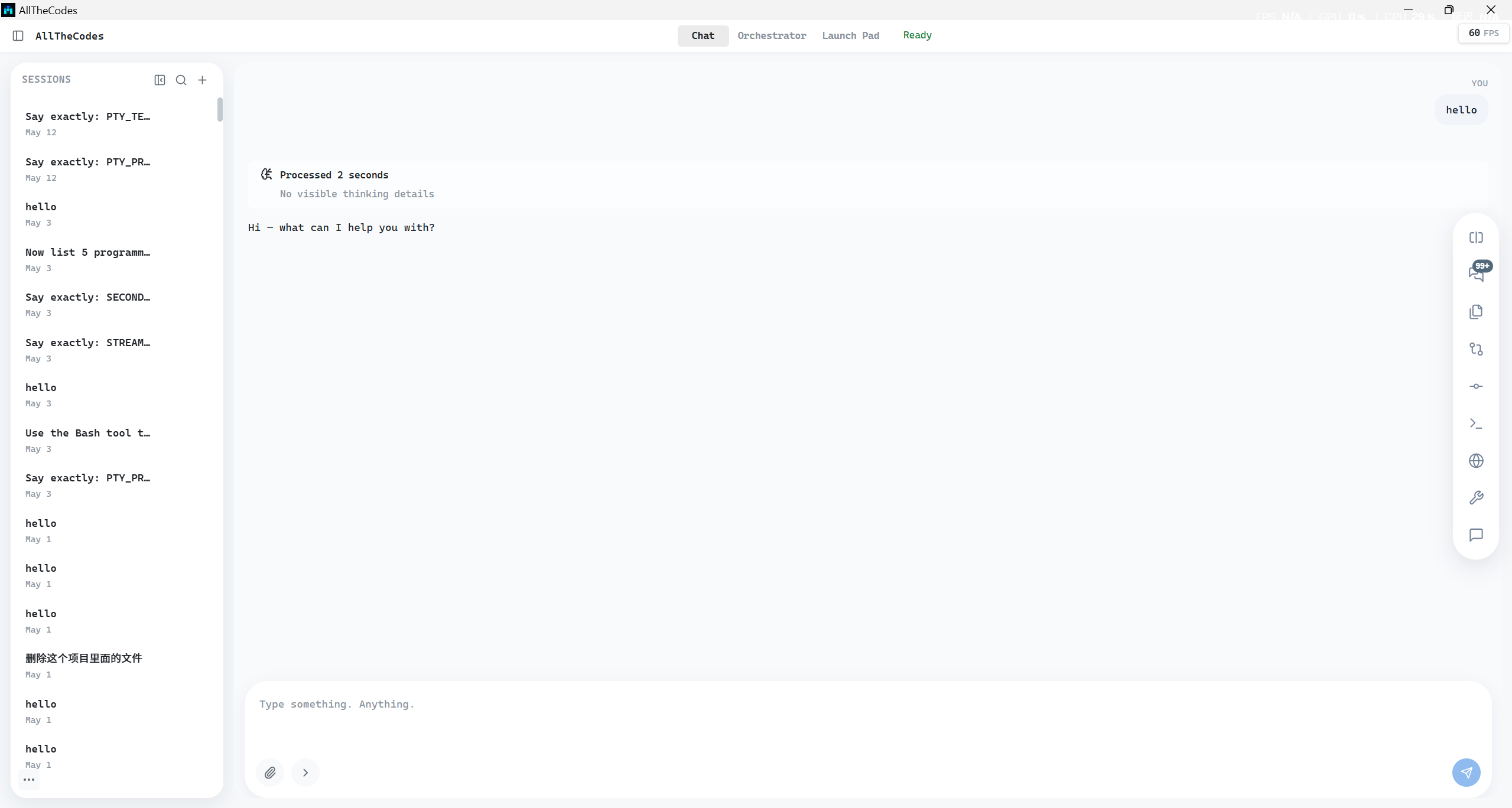
allthecodes Chat mode showing a streaming agent conversation and composer toolbar
单会话 agent 对话

Chat

普通 agent 对话入口,消息流展示 thinking、tool use、permission request、usage update,composer 支持文件引用、slash commands 和 queued message。

SSE streamingTool usePermissionsComposer popovers
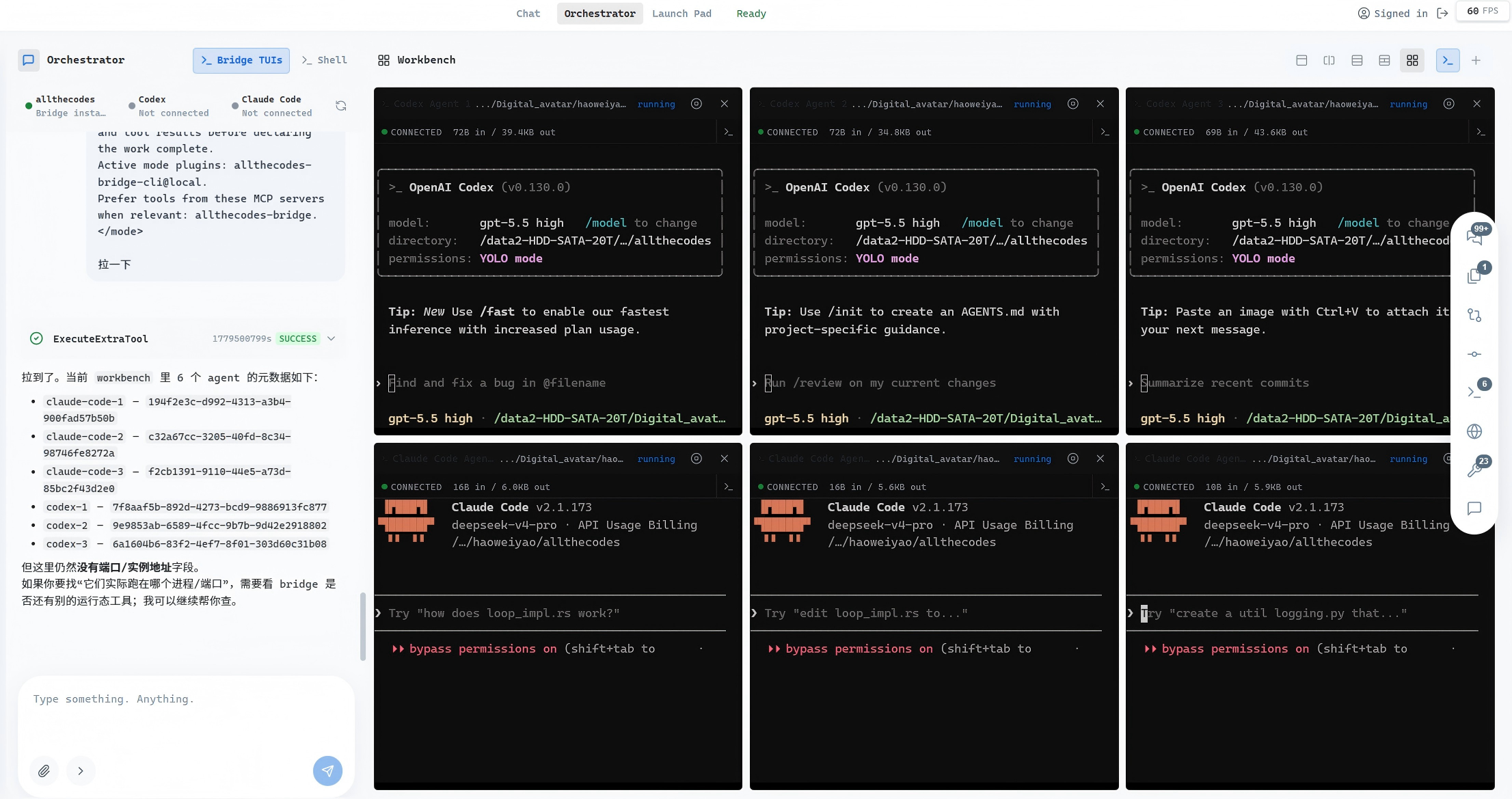
allthecodes Orchestrator mode with agent chat and workbench tiles
编排工作台

Orchestrator

左侧是主 orchestrator agent,右侧是 workbench stage,可打开 Shell、Bridge TUIs,并在 Single、Split、Grid 布局之间切换。

Main agentBridge TUIsShell tilesGrid layouts
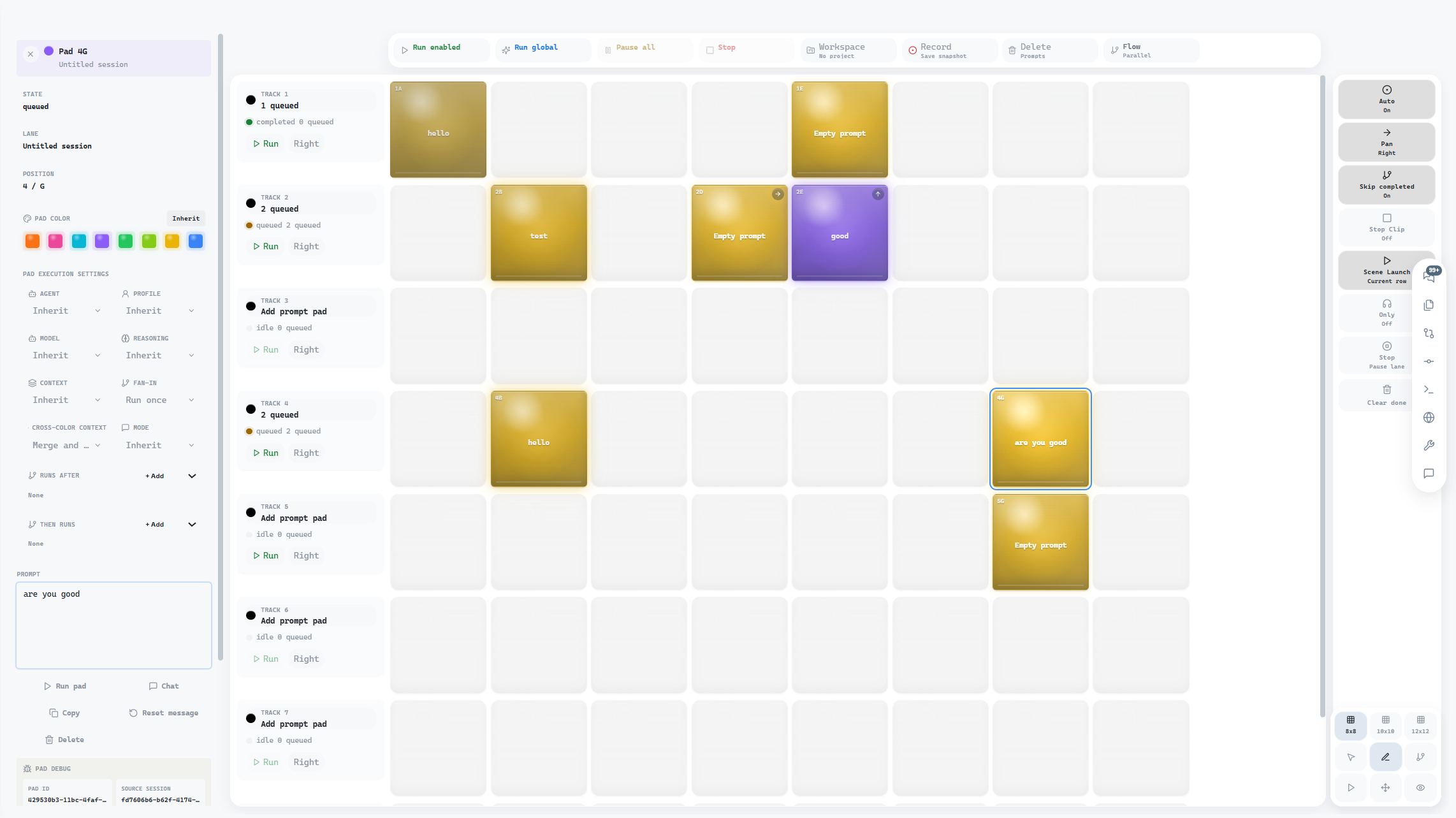
allthecodes Launch Pad showing session lanes and prompt pad matrix
多会话 prompt 矩阵

Launch Pad

按 session lane 排列 prompt pad,把多个会话任务组织成可排队、可分支、可自动续跑的执行矩阵。

Session lanesPrompt padsAuto runBranch launch
桌面职责

它不只是浏览器壳

App 的价值在于把后端查找、安装引导、窗口生命周期和系统集成从用户手里接过来。

Backend lifecycle

启动时查找或引导安装 Rust 后端,健康检查后把 API / WS 代理给工作台。

Native shell

BrowserWindow、系统托盘、单实例锁、preload contextBridge 和 CSP hardening 由主进程负责。

Shared runtime types

通过 @allthecodes/shared 复用 Web 前端的类型、SSE、IPC 和 API client 边界。

后端查找

7 级降级策略

普通用户不需要理解本地二进制在哪里,桌面端会按顺序查找并在失败时进入引导。

01ALLTHECODES_BIN 环境变量
02打包资源目录中的后端二进制
03PATH 上的 allthecodes 命令
04node_modules/.bin/allthecodes
05相邻 allthecodes 仓库 release 构建
06~/.allthecodes/bin/allthecodes
07找不到时进入首次安装引导
分发

跨平台安装包

同一套 Electron 构建流水线覆盖 macOS、Windows 和 Linux。

macOS

dmgzip

Hardened Runtime + notarization path

Windows

nsismsi

Interactive installer and managed deployment

Linux

AppImagedebrpm

Desktop category: Development

下载

桌面端下载统一在 /download

官网前端只部署网页,不携带 .exe、.dmg、AppImage、.deb 或 .rpm。安装包由外部下载域名分发,下载页会按系统推荐合适版本。

打开下载页后,页面顶部会根据浏览器 userAgent 推荐 Windows、macOS 或 Linux 的下载按钮;底部仍保留所有平台的手动选择入口。

打开下载页
需要校验版本或从源码构建?打开 allthecodes-app 仓库
路线图

从承载 Web 工作台到原生桌面体验

M1: 项目脚手架完成

目录结构、配置、依赖

M2: 主进程骨架完成

窗口创建、IPC、托盘

M3: 后端生命周期完成

进程管理、7 级查找

M4: MVP UI完成

安装覆盖层、加载后端、承载 Web 工作台

M5: 构建流水线完成

build 脚本

M6: 工作台原生化

逐页原生化 Chat、Orchestrator、Launch Pad

M7: 终端集成

xterm.js 终端面板

M8: 自更新

electron-updater

M9: 打包签名

各平台打包签名配置